Data binding is a powerful way to create reactive connections between editor elements, data, and code. For instance, you might:Documentation Index
Fetch the complete documentation index at: https://rive-binding-data.mintlify.app/llms.txt
Use this file to discover all available pages before exploring further.
- Bind the color of an icon to a color data property that can be adjusted by a developer at runtime
- Bind the X-position of an animated object so that it can be followed with an offset by another object
- Listen for a click event on two buttons to increment and decrement a counter
Why Use Data Binding?
Data binding decouples design and code by introducing intermediate data that both sides can bind to. This forms the “contract” between designers and developers. Once this contract is in place, both sides can iterate independently, speeding your ability to deliver new features and experiment with what’s possible. Within the editor, data binding allows for more reactivity in your designs. You can establish relationships between objects and ensure that certain invariants hold true, no matter the state of the artboard. The data binding system will ensure that these relationships are always up to date as animations and calls from code change the values. It also offers the opportunity to shift more logic into the Rive file and out of code. You will need to decide whether a piece of logic lives in code or data binding for your given use case, but one consideration is that any data binding logic will be universal across runtimes, rather than needing separate re-implementations.Glossary
Data binding introduces a number of concepts that you will need to familiarize yourself with. The names of these concepts are loosely derived from the Model, View, Viewmodel (MVVM) pattern in software development.Editor Element
For the purposes of data binding, an “editor element” simply refers to an editable UI element in the editor with a value that can have a binding attached to it.View Model
A view model is a blueprint for a collection of data. Developers might think of this as similar to a class in object-oriented programming. View models typically describe all of the associated data with a given use case - commonly one per artboard. View models themselves don’t have concrete values. For that, you must have an instance.View Model Property
A view model property is one piece of data within a view model. Developers might think of this as similar to a field in object-oriented programming. Properties have a data type which is selected when they are created and a name which can be referenced in code. Each property can be bound to different editor elements of the same type.Adding View Model properties
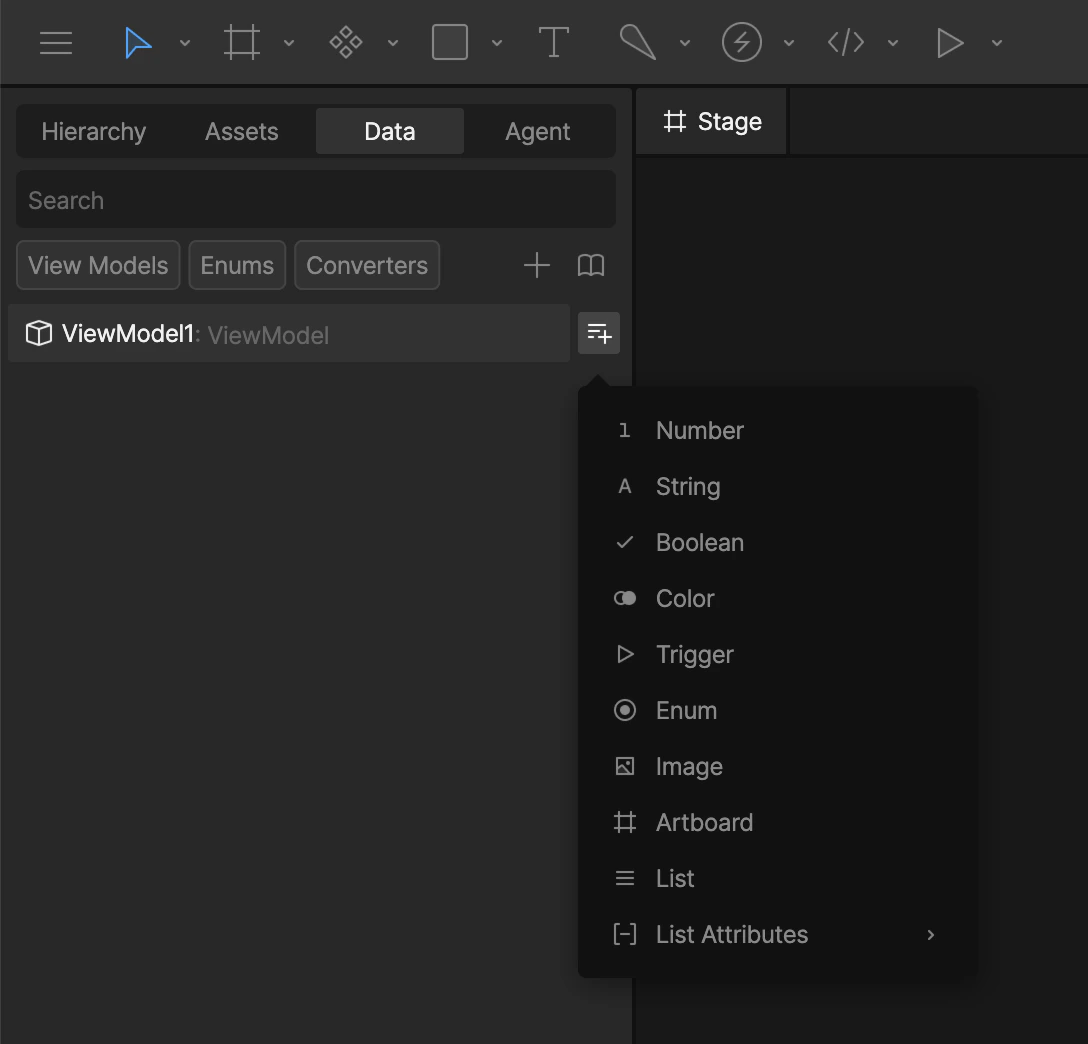
In the Data panel, click the Add View Model Property button next to the view model name and select your property type.